Freelance
Taking new projectsInternal tools, built for how your team works.
If your team runs on spreadsheets, email threads and reminders, I replace that with a small tool on the Google account you already have. Usually no new hosting bill and no per-user licence.
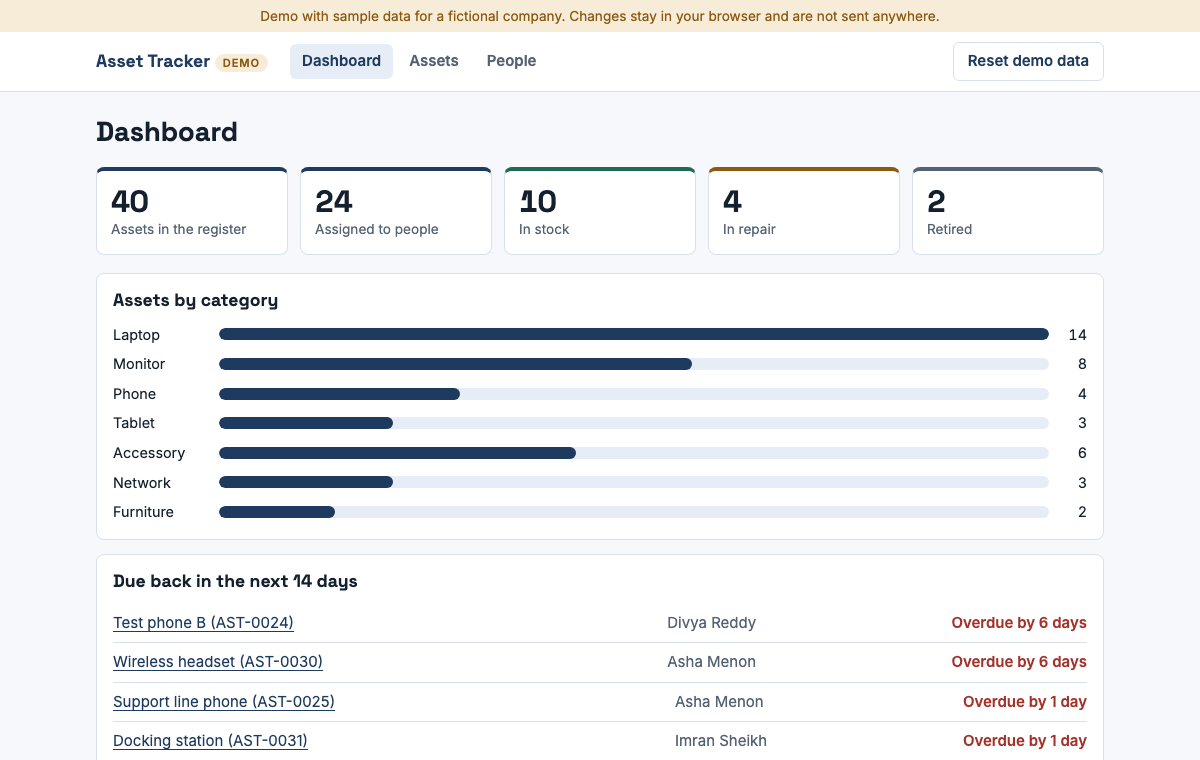 A demo with sample data. Open the demos
What I build
Asset and inventory tracking
Know what you own, who holds it and when it is due back.
Purchase orders and approvals
Branded orders from a template, with an approval step and a record.
Hiring and onboarding trackers
One pipeline for every candidate or new joiner, with reminders.
Dashboards and month-end reports
Numbers pulled together automatically, not built by hand.
Workflow automation
Forms, reminders, approvals and documents across Gmail, Sheets, Drive and Calendar.
AI-assisted steps
Screening, summarising or sorting with AI, where a person still checks the result.
Ways to work with me
Start small or start with a full build. Every option has a fixed price agreed before work begins.
- Small
Quick automation
One task that runs itself: a reminder, an approval email, a report or a form that fills a sheet. Usually a few days.
- Most popular
Custom tool
A complete tool for one process, such as assets, orders or hiring, built in checkpoints you test. Usually a few weeks.
- After handover
Monthly support
Changes, fixes and small additions each month, so the tool keeps up with how your team works.
Try one before you ask
Four demos with sample data. A tool built for you would follow your process and hold your data in your own account.
How a project runs
- 1
Free first call
Thirty minutes to understand the process you want to fix.
- 2
Fixed scope and price
A one-page plan: what the tool does, the price and the date.
- 3
Built in checkpoints
You test a working piece at each checkpoint.
- 4
Handover
The tool lives in your accounts, with a guide and a walkthrough.
After handover you can add an optional monthly plan for changes and fixes.
Every tool includes
Your accounts, your data
Set up under your Google account. I keep no copy.
Roles and sign-in
People sign in with work email and see only what their role allows.
Backups and history
Scheduled backups, restore, and a log of who changed what.
Tested before release
Checks run before every release, with a way to roll back.
Best suited to teams of roughly 20 to 300 people who use Google Workspace and have a process that has outgrown a spreadsheet.
Common questions
What does it cost?
Each project has a fixed price, agreed before any work starts. It depends on what the tool needs to do, so I quote after the first call. There are no per-user fees.
How long does it take?
Usually a few weeks. The proposal gives a date for each checkpoint and for handover.
Who owns the tool?
You do. It is set up in your Google account, and my access is removed once you confirm the handover.
What if we need changes later?
Anything that does not work as described is fixed free for a period after handover. After that you can take a monthly support plan or ask for a one-off quote.
We use Microsoft 365, not Google. Can you still help?
My tools are built on Google Workspace and Firebase. Tell me what you need and I will say honestly whether I am the right person.
When are you available?
I take a small number of projects alongside my full-time role, so calls are in the evening or at weekends, India time.